Notifier
Know who’s on-call — before the pager goes off.
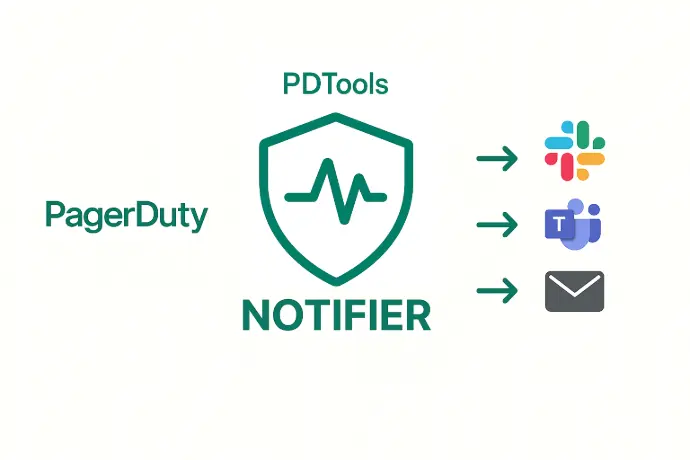
No dashboards. No confusion. Just clarity. Notifier gives your team instant visibility into who’s next in line—pulling real-time data from PagerDuty schedules and even multi-level escalations.
Whether it’s Slack, Teams, or email, Notifier delivers clear, timely updates so everyone knows who’s on deck before the alerts start flying.
🕒 On-Call Visibility, Delivered
Stop guessing who’s next in line. Notifier pulls real-time data from your PagerDuty schedules and multi-level escalations, then sends clean, readable updates to Slack, Teams, or email. Whether it’s a rotating roster or a complex escalation path, Notifier makes it crystal clear who’s on deck — so your team stays informed and your handoffs stay smooth.
No more digging through dashboards. Just instant clarity.
Unlike PagerDuty’s native tools, Notifier turns complex schedules into simple, human-readable messages. It’s the easiest way to keep engineers, managers, and stakeholders aligned — without giving them all PagerDuty access. One setup, total awareness.
📣 Why Notifier?
| Feature | Notifier | Native PagerDuty Visibility |
| Multi-level Escalation Awareness | ✅ Yes | ❌ Limited |
| Slack/Teams/Email Notifications | ✅ Built-in | ❌ Manual setup required, not always possible |
| Schedule Parsing | ✅ Automatic | ⚠️ Requires API work |
| Setup Time | ⏱️ Under 10 minutes | 🕰️ Often hours |
| Message Format | ✨ Human-readable | 🧾 Raw JSON or dashboard-only |
💬 How It Works
Notifier connects to your PagerDuty account, reads your schedules and escalation policies, and sends proactive updates like these:
Engineers On-Call today:
Level 1Name: Jack Lonson
Slack: @jackytheguy
Email: [email protected]
Time zone: America/ChicagoLevel 2Time zone: Asia/Bangkok
Slack: @Angnov
Time zone: Asia/Bangkok
Primary Responsibilities: Production Incidents Management, Monitoring of requests, Monitoring of low-pri alerts, Investigation and resolution of issues .
Secondary Responsibilities: Improving the Runbooks, Working on the assigned tasks, Monitoring the overall performance, stability, and reliability of the platform.
These messages can be sent:
🔔 To a Slack channel
📩 As an email digest
💬 Directly into Microsoft Teams
Core Features
What Notifier does best.
Single and Multi-level
Whether you have a simple, one person schedule, or a multi-level escalation, Notifier supports that all.
Set your own time
Some people prefer get notified in the morning, other in the evening.
You decide at what time Notifier should check and make your team aware
Customizable messages
You want to add your own text or message? No problem.
Perhaps, you don't want to show the email? Don
Customize the messages Notifier sends, it's easy!
Your Tool Supported
We built specific integrations to make your experience next-level!

Slack
Right in your team's channel
Push on-call updates straight into any Slack channel your team already lives in an keep everyone aligned - no extra tabs, no extra tools.

Microsoft Teams
Where your enterprise works
Deliver clear on-call updates into any Microsoft Teams channel. Perfect for organizations standardized on Microsoft 365.

Emails
Inbox-friendly digests
Prefer a quieter channel? Notifier sends clean, readable email digests to individuals or distribution lists. Ideal for managers, stakeholders, or anyone who wants visibility without joining another chat.
💡 Use Cases
- Keep your incident response team aligned
- Give product managers and execs visibility without PagerDuty access
- Automate handoff reminders before shifts begin
- Reduce on-call confusion across distributed teams
🚀 Get Started in Minutes
No credit card required. Plug in your PagerDuty token, choose your channels, and let Notifier do the rest.
🔐 Secure. Reliable. Always Up-to-Date.
Notifier uses read-only access to your PagerDuty data and never stores sensitive information.
Every message is timestamped, traceable, and built for operational peace of mind.